
Before learning how to create a favicon and adding it in our blogs, does everybody really know what actually a favicon is...? So let us know in short what actually does a favicon means? A favicon is known as a Website or Blog's icon or simply a bookmark icon. Favicon is also known as 'Tab Icon'. So,now lets see how to create an favicon and how can we fix the favicon in our tab.
1] Firstly create a favicon in photoshop...Simply create an image in photoshop representing your logo..i.e(Logo refers to the name Short Symbolic or any representive name of your website or blog).
NOTE : The Dimensions of the image created by you should be of 50 x 50 Size or 64 x 64 sized.
2] Now, Follow the following process as shown in pic below (For Bloggers)
1) LOGIN TO BLOGGER
2) SELECT THE BLOG FOR WHICH FAVICON IS TO BE CREATED
3) CLICK ON LAYOUT FROM YOUR BLOGGER DASHBOARD AND THEN CLICK ON FAVICON GADGET
4) AFTER CLICKING, YOU WILL SEE A WINDOW LIKE THIS SHOWN BELOW,NOW SIMPLY ADD THE CREATED SQUARE (50 x 50 OR 64 x 64) IMAGE.
1] Firstly create a favicon in photoshop...Simply create an image in photoshop representing your logo..i.e(Logo refers to the name Short Symbolic or any representive name of your website or blog).
NOTE : The Dimensions of the image created by you should be of 50 x 50 Size or 64 x 64 sized.
2] Now, Follow the following process as shown in pic below (For Bloggers)
1) LOGIN TO BLOGGER
2) SELECT THE BLOG FOR WHICH FAVICON IS TO BE CREATED
3) CLICK ON LAYOUT FROM YOUR BLOGGER DASHBOARD AND THEN CLICK ON FAVICON GADGET
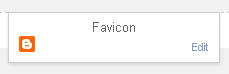 |
| Click here- In layout Option Of Your Blogger Dashboard |
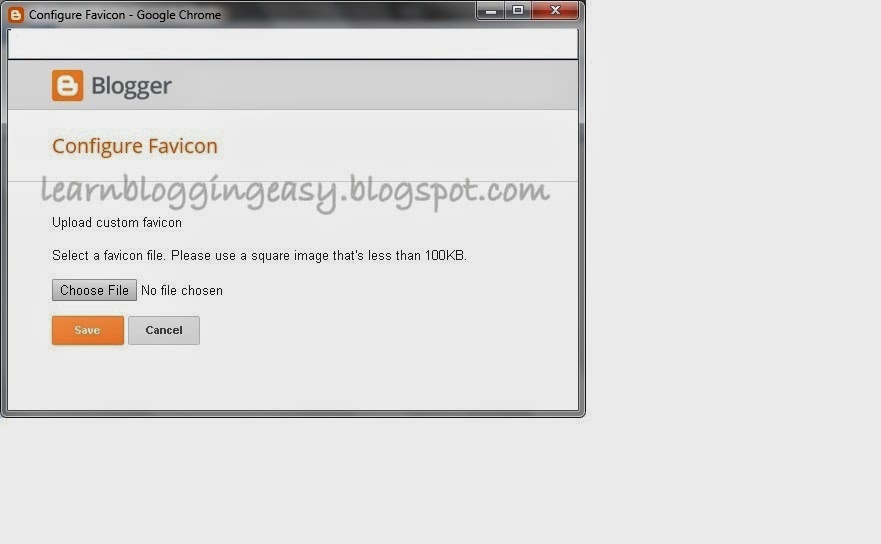 |
| ADDING FAVICON IN BLOGGER WIDGETS,BLOGGING TIPS Now You are all Done!! Enjoy Your Blogs new favicon.Thanks For Visiting This Post. For More Good Tutorials Visit the below Posts FOR ANY QUERIES , DO LEAVE A COMMENT TO GET YOUR PROBLEM SOLVED ! |
No comments:
Post a Comment
COMMENT POLICY: We’re pleased to see your comment here. However, Please Keep in mind that all comments are moderated manually by humans according to our comment policy. Using Keywords and links to your blogs or websites in the name field area is forbidden. Let’s enjoy a personal and meaningful conversation. Do not break the rules of comment policy.